最近はやりのAIでWEBアプリを作れるか、いろいろ試してみました~
まずは、「架空の遊園地のマップを作成してください。アトラクションは50個設置してください。遊園地の名前はピーコロランドにしてください」という指示をいくつかのAIに入力したところ、次のような画像が出来上がりました。
Claude AIが作成してくれた架空遊園地のマップ
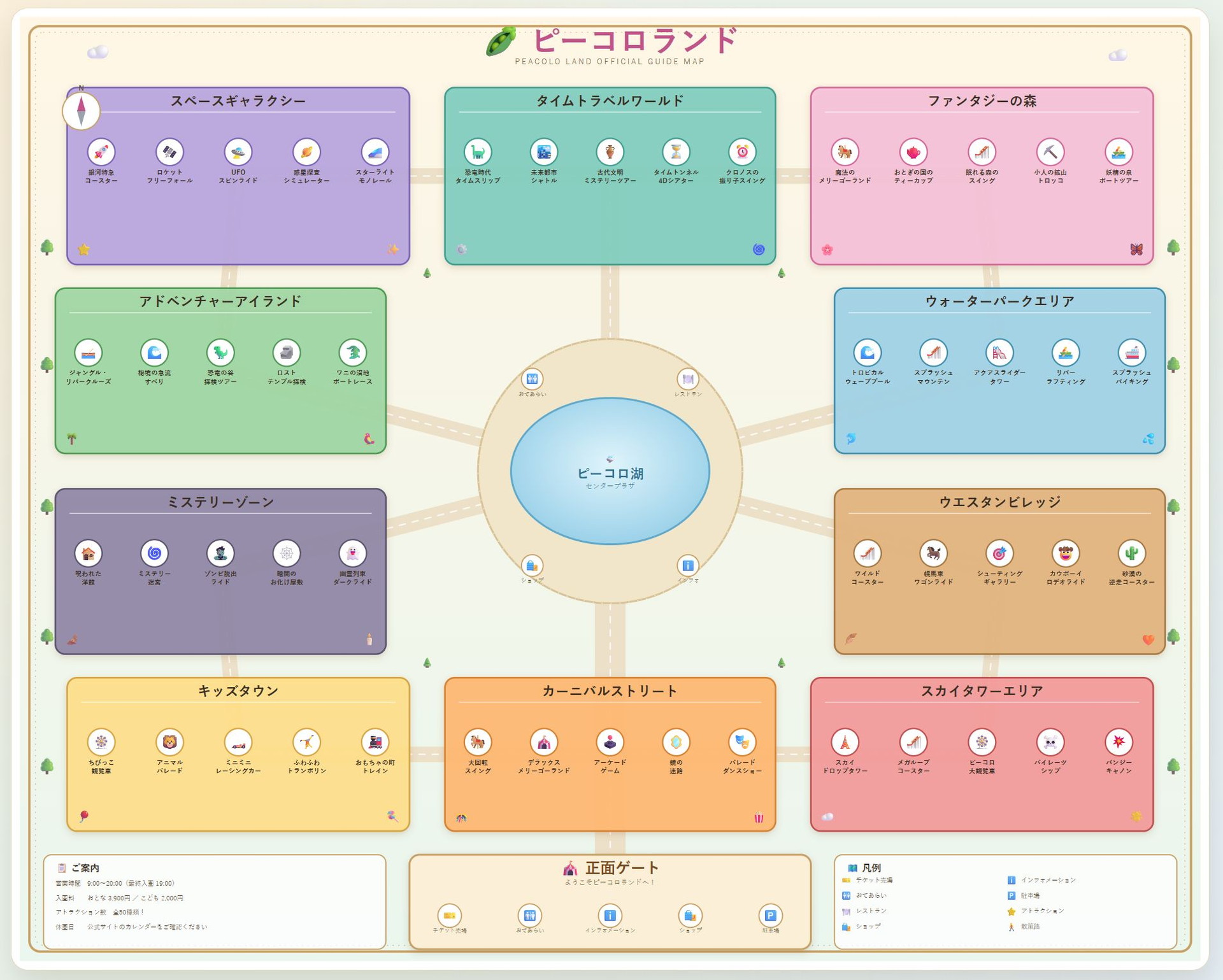
Geminiが作成してくれた架空遊園地のマップ
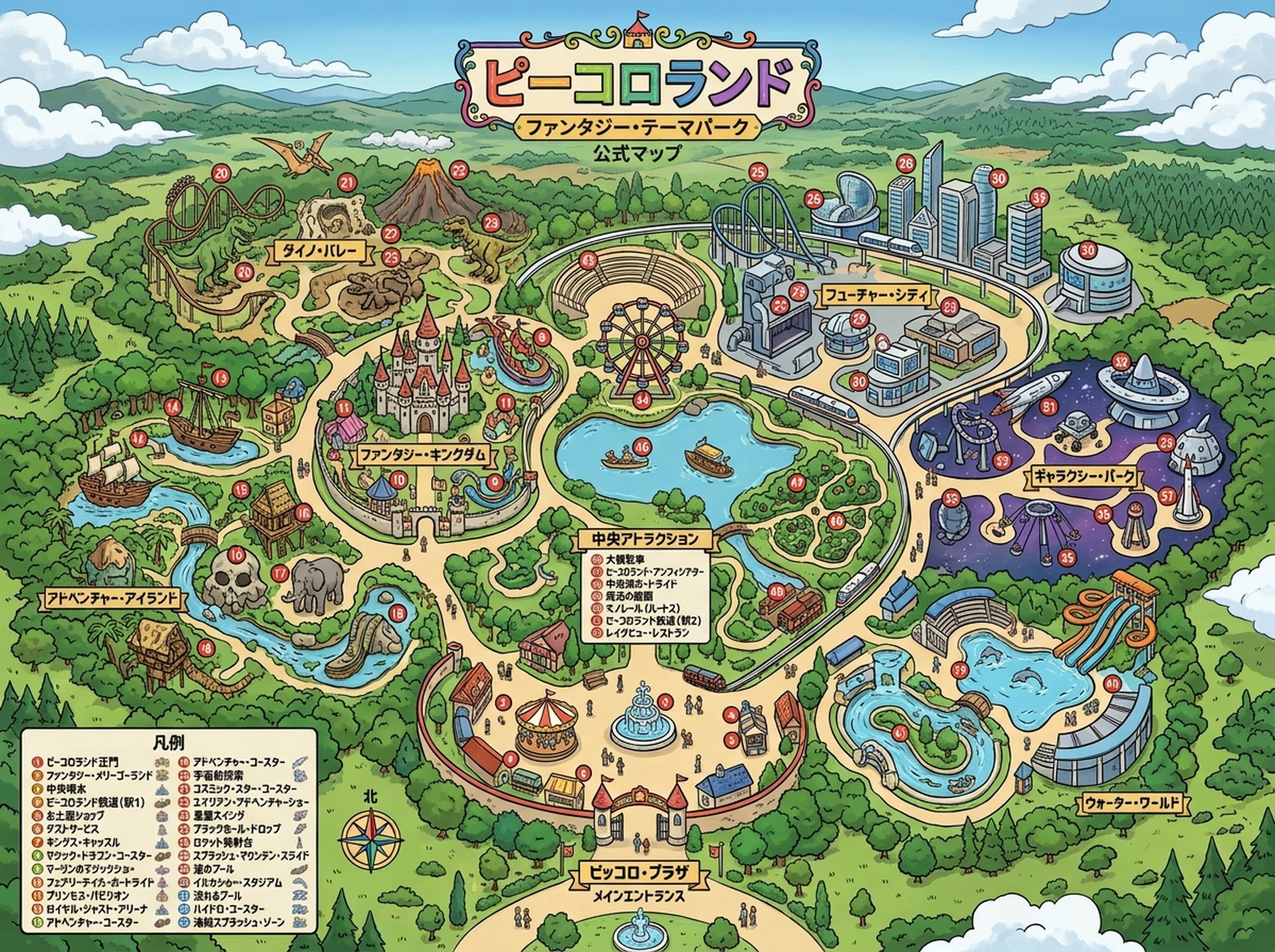
ChatGPTが作成してくれた架空遊園地のマップ
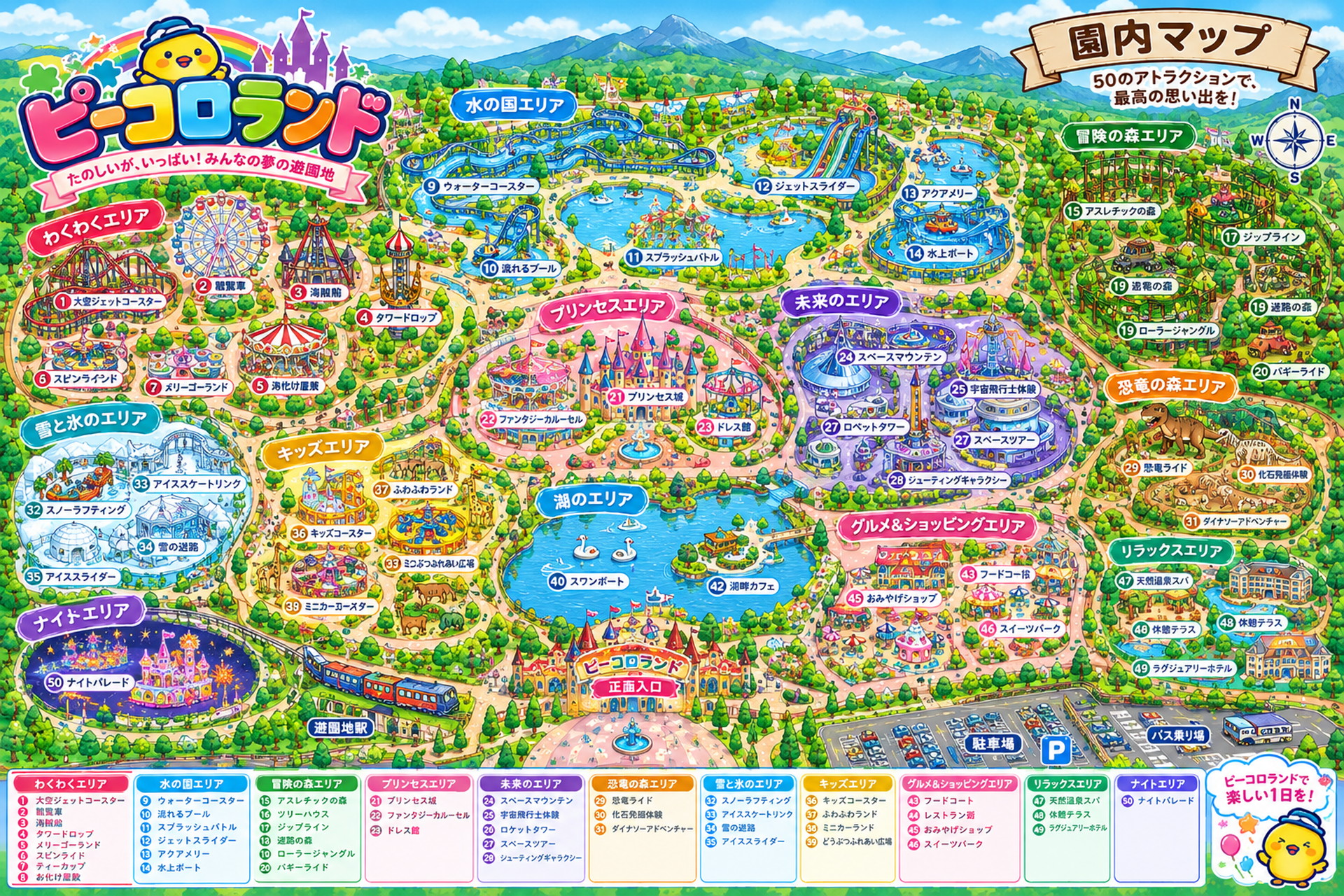
それぞれのAIでいろいろなマップができましたが、今回はChatGPTが一番出来がいいようでしたので、こちらを採用しましょうか。
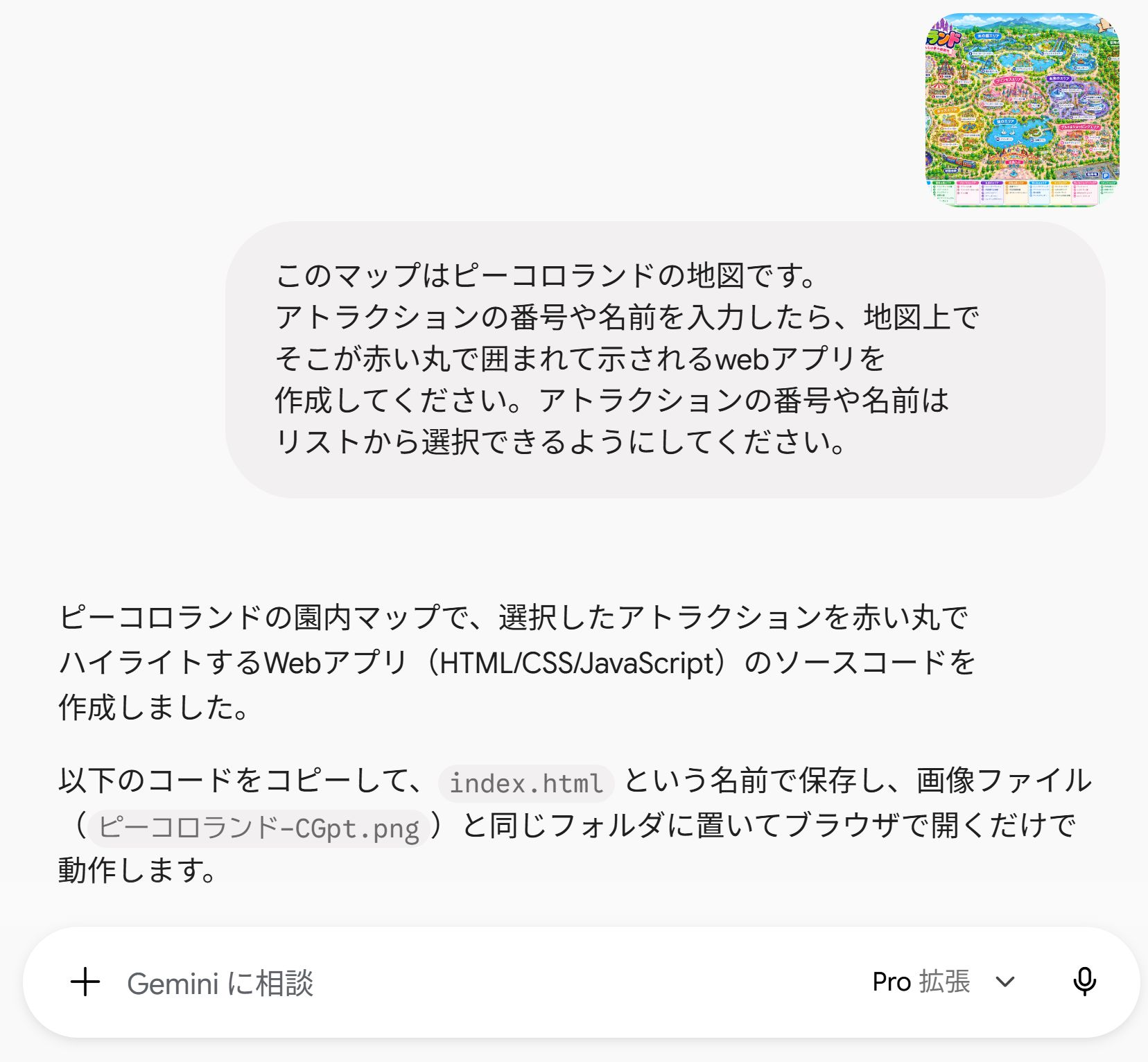
続いて、Geminiの質問欄の脇にある+を押して、このマップ画像をアップロードしてから、「このマップはピーコロランドの地図です。アトラクションの番号や名前を入力したら、地図上でそこが赤い丸で囲まれて示されるwebアプリを作成してください。アトラクションの番号や名前はリストから選択できるようにしてください」と指示してみました。
すると、2分くらいで以下のような答えがでてきました(^^♪
|
1 2 3 4 5 6 7 8 9 10 11 12 13 14 15 16 17 18 19 20 21 22 23 24 25 26 27 28 29 30 31 32 33 34 35 36 37 38 39 40 41 42 43 44 45 46 47 48 49 50 51 52 53 54 55 56 57 58 59 60 61 62 63 64 65 66 67 68 69 70 71 72 73 74 75 76 77 78 79 80 81 82 83 84 85 86 87 88 89 90 91 92 93 94 95 96 97 98 99 100 101 102 103 104 105 106 107 108 109 110 111 112 113 114 115 116 117 118 119 120 121 122 123 124 125 126 127 128 129 130 131 132 133 134 135 136 137 138 139 140 141 142 143 144 145 146 147 148 149 150 151 152 153 154 155 156 157 158 159 160 161 162 163 164 165 166 167 168 169 170 171 172 173 174 175 176 177 178 179 180 181 182 183 184 185 186 187 188 189 190 191 192 193 194 195 196 197 198 199 200 201 202 203 204 205 206 207 208 209 210 211 212 213 214 215 216 217 218 219 220 221 222 223 224 225 226 227 228 229 230 231 232 233 234 235 236 237 238 239 240 241 242 243 244 245 246 247 248 249 250 251 252 253 254 255 256 257 258 259 260 261 262 263 264 265 266 267 |
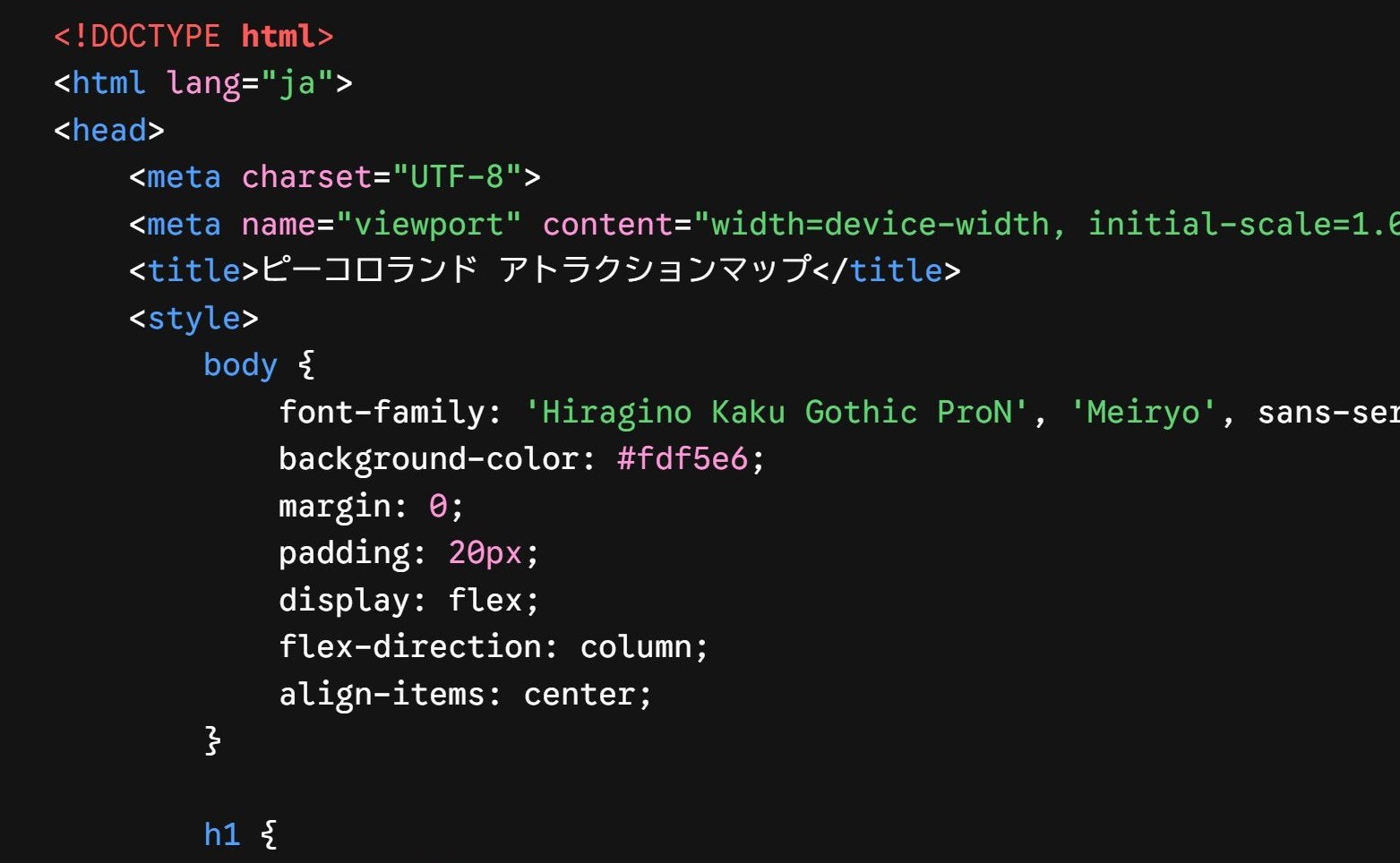
<!DOCTYPE html> <html lang="ja"> <head> <meta charset="UTF-8"> <meta name="viewport" content="width=device-width, initial-scale=1.0"> <title>ピーコロランド アトラクションマップ</title> <style> body { font-family: 'Hiragino Kaku Gothic ProN', 'Meiryo', sans-serif; background-color: #fdf5e6; margin: 0; padding: 20px; display: flex; flex-direction: column; align-items: center; } h1 { color: #ff5e7e; text-shadow: 2px 2px 4px rgba(0,0,0,0.1); margin-bottom: 10px; } .controls { margin-bottom: 20px; background: white; padding: 15px 30px; border-radius: 50px; box-shadow: 0 4px 10px rgba(0,0,0,0.05); border: 2px solid #ffb6c1; } select { padding: 10px 15px; font-size: 16px; border-radius: 25px; border: 2px solid #eee; width: 350px; cursor: pointer; outline: none; transition: border-color 0.3s; } select:focus { border-color: #ff5e7e; } .map-container { position: relative; max-width: 1200px; width: 100%; border-radius: 15px; overflow: hidden; box-shadow: 0 10px 25px rgba(0,0,0,0.15); background-color: #fff; } .map-image { width: 100%; display: block; } /* 赤い丸のスタイル */ .highlight-circle { position: absolute; width: 3.5%; /* 地図のサイズに対する割合 */ aspect-ratio: 1 / 1; /* 正円を保つ */ border: 4px solid #ff0000; border-radius: 50%; transform: translate(-50%, -50%); /* 中心を座標に合わせる */ pointer-events: none; display: none; /* 見やすくするための装飾 */ box-shadow: 0 0 0 3px rgba(255, 255, 255, 0.8), 0 0 15px rgba(255, 0, 0, 0.6); background-color: rgba(255, 0, 0, 0.25); transition: top 0.4s ease-out, left 0.4s ease-out; /* 移動のアニメーション */ z-index: 10; animation: pulse 1.5s infinite; } /* 赤丸を点滅させるアニメーション */ @keyframes pulse { 0% { transform: translate(-50%, -50%) scale(1); opacity: 1; } 50% { transform: translate(-50%, -50%) scale(1.1); opacity: 0.8; } 100% { transform: translate(-50%, -50%) scale(1); opacity: 1; } } </style> </head> <body> <h1>🎡 ピーコロランド マップ案内 🎢</h1> <div class="controls"> <label for="attraction-select"><strong>アトラクションを探す:</strong></label> <select id="attraction-select"> <option value="">-- リストから選択してください --</option> <optgroup label="わくわくエリア"> <option value="1">1 大空ジェットコースター</option> <option value="2">2 観覧車</option> <option value="3">3 海賊船</option> <option value="4">4 タワードロップ</option> <option value="5">5 メリーゴーランド</option> <option value="6">6 スピンライド</option> <option value="7">7 ティーカップ</option> <option value="8">8 お化け屋敷</option> </optgroup> <optgroup label="水の国エリア"> <option value="9">9 ウォーターコースター</option> <option value="10">10 流れるプール</option> <option value="11">11 スプラッシュバトル</option> <option value="12">12 ジェットスライダー</option> <option value="13">13 アクアメリー</option> <option value="14">14 水上ボート</option> </optgroup> <optgroup label="冒険の森エリア"> <option value="15">15 アスレチックの森</option> <option value="16">16 ツリーハウス</option> <option value="17">17 ジップライン</option> <option value="18">18 迷路の森</option> <option value="19">19 ローラージャングル</option> <option value="20">20 バギーライド</option> </optgroup> <optgroup label="プリンセスエリア"> <option value="21">21 プリンセス城</option> <option value="22">22 ファンタジーカルーセル</option> <option value="23">23 ドレス館</option> </optgroup> <optgroup label="未来のエリア"> <option value="24">24 スペースマウンテン</option> <option value="25">25 宇宙飛行士体験</option> <option value="26">26 ロケットタワー</option> <option value="27">27 スペースツアー</option> <option value="28">28 シューティングギャラクシー</option> </optgroup> <optgroup label="恐竜の森エリア"> <option value="29">29 恐竜ライド</option> <option value="30">30 化石発掘体験</option> <option value="31">31 ダイナソーアドベンチャー</option> </optgroup> <optgroup label="雪と氷のエリア"> <option value="32">32 スノーラフティング</option> <option value="33">33 アイススケートリンク</option> <option value="34">34 雪の迷路</option> <option value="35">35 アイススライダー</option> </optgroup> <optgroup label="キッズエリア"> <option value="36">36 キッズコースター</option> <option value="37">37 ふわふわランド</option> <option value="38">38 ミニカーランド</option> <option value="39">39 どうぶつふれあい広場</option> </optgroup> <optgroup label="湖のエリア (マップ上)"> <option value="40">40 スワンボート</option> <option value="42">42 湖畔カフェ</option> </optgroup> <optgroup label="グルメ&ショッピングエリア"> <option value="43">43 フードコート</option> <option value="44">44 レストラン街</option> <option value="45">45 おみやげショップ</option> <option value="46">46 スイーツパーク</option> </optgroup> <optgroup label="リラックスエリア"> <option value="47">47 天然温泉スパ</option> <option value="48">48 休憩テラス</option> <option value="49">49 ラグジュアリーホテル</option> </optgroup> <optgroup label="ナイトエリア"> <option value="50">50 ナイトパレード</option> </optgroup> </select> </div> <div class="map-container"> <!-- 指定されたファイル名の画像を読み込みます --> <img src="ピーコロランド-CGpt.png" alt="ピーコロランド 園内マップ" class="map-image"> <!-- アトラクションをハイライトする赤い丸 --> <div id="highlight" class="highlight-circle"></div> </div> <script> // 各アトラクションの画像上の大まかな座標(左から何%、上から何%か) const locations = { 1: { x: 8, y: 34 }, 2: { x: 16, y: 31 }, 3: { x: 23, y: 32 }, 4: { x: 28, y: 35 }, 5: { x: 13, y: 43 }, 6: { x: 6, y: 42 }, 7: { x: 18, y: 38 }, 8: { x: 21, y: 43 }, 9: { x: 36, y: 21 }, 10: { x: 37, y: 30 }, 11: { x: 49, y: 29 }, 12: { x: 61, y: 21 }, 13: { x: 70, y: 21 }, 14: { x: 70, y: 28 }, 15: { x: 80, y: 24 }, 16: { x: 85, y: 26 }, 17: { x: 93, y: 26 }, 18: { x: 93, y: 34 }, 19: { x: 87, y: 37 }, 20: { x: 93, y: 41 }, 21: { x: 47, y: 44 }, 22: { x: 39, y: 47 }, 23: { x: 53, y: 47 }, 24: { x: 62, y: 39 }, 25: { x: 71, y: 44 }, 26: { x: 62, y: 48 }, 27: { x: 68, y: 48 }, 28: { x: 66, y: 53 }, 29: { x: 86, y: 52 }, 30: { x: 94, y: 53 }, 31: { x: 89, y: 58 }, 32: { x: 5, y: 56 }, 33: { x: 13, y: 54 }, 34: { x: 14, y: 60 }, 35: { x: 5, y: 63 }, 36: { x: 23, y: 59 }, 37: { x: 30, y: 54 }, 38: { x: 23, y: 65 }, 39: { x: 30, y: 62 }, 40: { x: 43, y: 64 }, 42: { x: 54, y: 64 }, 43: { x: 71, y: 63 }, 44: { x: 65, y: 65 }, 45: { x: 68, y: 66 }, 46: { x: 76, y: 70 }, 47: { x: 88, y: 64 }, 48: { x: 85, y: 69 }, 49: { x: 89, y: 74 }, 50: { x: 6, y: 76 } }; const selectElement = document.getElementById('attraction-select'); const highlightCircle = document.getElementById('highlight'); selectElement.addEventListener('change', function() { const attractionId = this.value; if (attractionId && locations[attractionId]) { // 座標が設定されている場合、赤丸を移動して表示 const x = locations[attractionId].x; const y = locations[attractionId].y; highlightCircle.style.left = x + '%'; highlightCircle.style.top = y + '%'; highlightCircle.style.display = 'block'; } else { // 未選択時は赤丸を隠す highlightCircle.style.display = 'none'; } }); </script> </body> </html> |
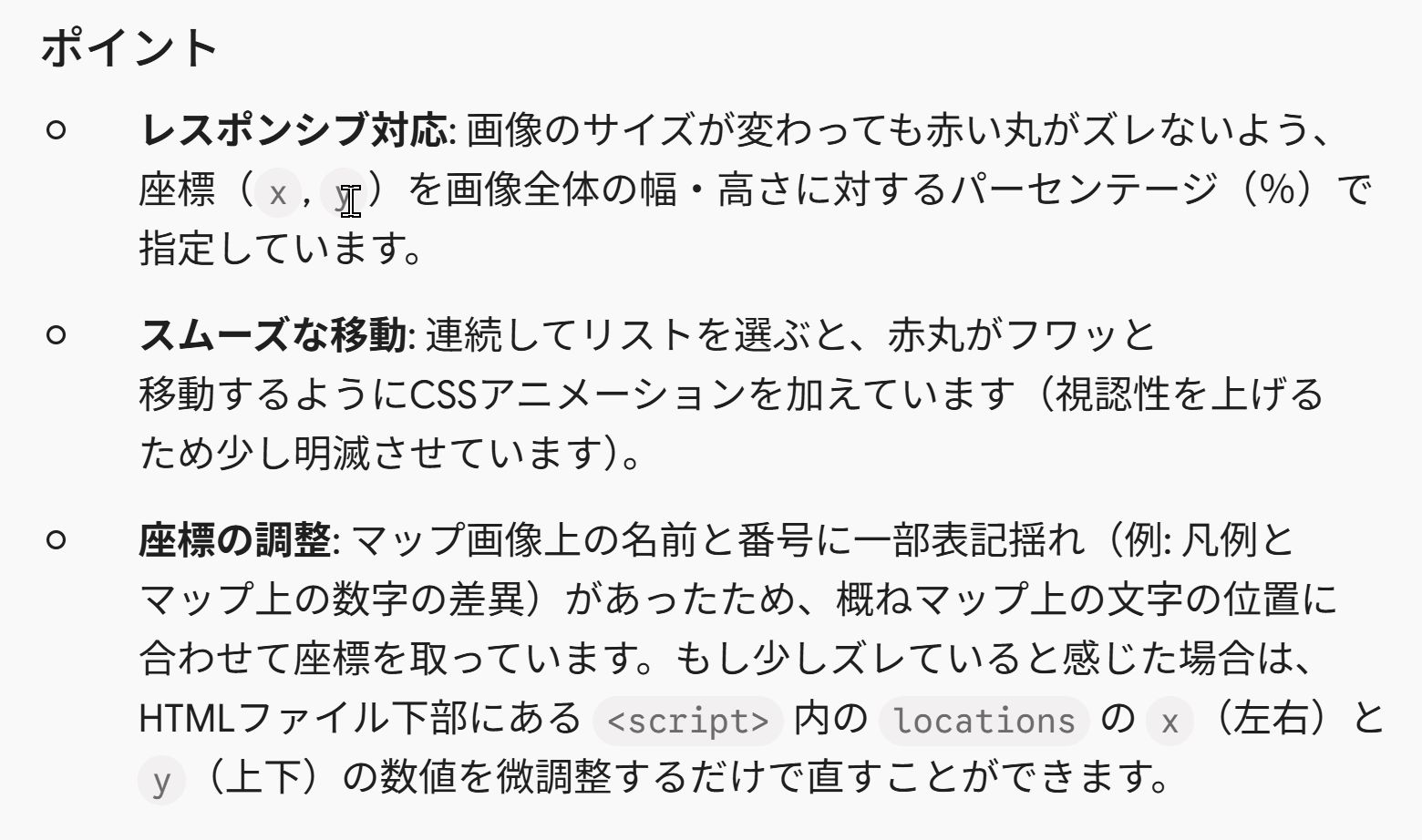
このHTMLとマップの画像を、同じフォルダに入れてサーバーにアップしてみたのですが、パソコンではうまくうごくのですが、iPhoneやiPadで見るとうまく動かなくなるようでした。
それでさらに、「モバイル端末で試したら、途中で機能しなくなるようなので、モバイル端末でもうまく動作するようにプログラムを改善してください」と指示してみましたら、下記のプログラムが作成されました。
|
1 2 3 4 5 6 7 8 9 10 11 12 13 14 15 16 17 18 19 20 21 22 23 24 25 26 27 28 29 30 31 32 33 34 35 36 37 38 39 40 41 42 43 44 45 46 47 48 49 50 51 52 53 54 55 56 57 58 59 60 61 62 63 64 65 66 67 68 69 70 71 72 73 74 75 76 77 78 79 80 81 82 83 84 85 86 87 88 89 90 91 92 93 94 95 96 97 98 99 100 101 102 103 104 105 106 107 108 109 110 111 112 113 114 115 116 117 118 119 120 121 122 123 124 125 126 127 128 129 130 131 132 133 134 135 136 137 138 139 140 141 142 143 144 145 146 147 148 149 150 151 152 153 154 155 156 157 158 159 160 161 162 163 164 165 166 167 168 169 170 171 172 173 174 175 176 177 178 179 180 181 182 183 184 185 186 187 188 189 190 191 192 193 194 195 196 197 198 199 200 201 202 203 204 205 206 207 208 209 210 211 212 213 214 215 216 217 218 219 220 221 222 223 224 225 226 227 228 229 230 231 232 233 234 235 236 237 238 239 240 241 242 243 244 245 246 247 248 249 250 251 252 253 254 255 256 257 258 259 260 261 262 263 264 265 266 267 268 269 270 271 272 273 274 275 276 277 278 279 280 281 282 283 284 285 286 287 288 289 290 291 292 293 294 295 296 297 298 299 300 301 302 303 304 305 306 307 308 309 310 311 312 313 314 315 316 317 318 319 320 321 322 323 324 325 326 327 328 329 330 331 332 333 334 335 336 337 338 339 340 341 342 343 344 345 346 347 348 |
<!DOCTYPE html> <html lang="ja"> <head> <meta charset="UTF-8"> <meta name="viewport" content="width=device-width, initial-scale=1.0, maximum-scale=3.0"> <title>ピーコロランド アトラクションマップ</title> <style> * { box-sizing: border-box; } body { font-family: -apple-system, BlinkMacSystemFont, 'Hiragino Kaku Gothic ProN', 'Meiryo', sans-serif; background-color: #fdf5e6; margin: 0; padding: 10px; display: flex; flex-direction: column; align-items: center; } h1 { color: #ff5e7e; font-size: 1.3rem; margin: 8px 0; text-align: center; text-shadow: 1px 1px 2px rgba(0,0,0,0.1); } /* モバイル操作用の固定ヘッダー構造 */ .controls { position: sticky; top: 10px; z-index: 100; background: rgba(255, 255, 255, 0.95); backdrop-filter: blur(5px); padding: 10px 15px; border-radius: 25px; box-shadow: 0 4px 15px rgba(0,0,0,0.15); border: 2px solid #ffb6c1; width: 100%; max-width: 500px; margin-bottom: 12px; } label { display: block; font-weight: bold; font-size: 0.85rem; color: #444; margin-bottom: 5px; text-align: center; } select { padding: 10px 14px; font-size: 16px; /* 16px以上にすることでiOSでの自動ズーム発動を防止 */ border-radius: 20px; border: 2px solid #ff8fa3; width: 100%; cursor: pointer; outline: none; background-color: #fff; appearance: none; -webkit-appearance: none; background-image: url("data:image/svg+xml;charset=UTF-8,%3csvg xmlns='http://www.w3.org/2000/svg' viewBox='0 0 24 24' fill='%23ff5e7e'%3e%3cpath d='M7 10l5 5 5-5z'/%3e%3c/svg%3e"); background-repeat: no-repeat; background-position: right 12px center; background-size: 18px; } select:focus { border-color: #ff3366; } /* スクロールとピンチに対応するマップ容器 */ .map-outer-container { width: 100%; max-width: 1200px; overflow: auto; /* スマホで縦横スクロール可能 */ border-radius: 12px; box-shadow: 0 6px 18px rgba(0,0,0,0.15); background-color: #fff; -webkit-overflow-scrolling: touch; } .map-wrapper { position: relative; width: 100%; min-width: 650px; /* スマホでも地図が極端に縮小しすぎないように最小幅を設定 */ display: block; } .map-image { width: 100%; height: auto; display: block; } /* 赤い丸のスタイル(モバイル対応サイズ調整) */ .highlight-circle { position: absolute; /* clamp関数を使って最小サイズ(30px)を保証 */ width: clamp(30px, 4%, 55px); height: clamp(30px, 4%, 55px); border: 3.5px solid #ff0033; border-radius: 50%; transform: translate(-50%, -50%); pointer-events: none; display: none; box-shadow: 0 0 0 3px rgba(255, 255, 255, 0.9), 0 0 15px rgba(255, 0, 50, 0.8); background-color: rgba(255, 0, 50, 0.3); transition: top 0.3s ease-out, left 0.3s ease-out; z-index: 50; animation: pulse 1.2s infinite ease-in-out; } /* モバイルで見やすいアトラクション名ラベル */ .highlight-label { position: absolute; bottom: 110%; left: 50%; transform: translateX(-50%); background: #ff0033; color: #fff; padding: 3px 8px; font-size: 11px; font-weight: bold; white-space: nowrap; border-radius: 10px; box-shadow: 0 2px 6px rgba(0,0,0,0.3); } .highlight-label::after { content: ''; position: absolute; top: 100%; left: 50%; transform: translateX(-50%); border-width: 4px; border-style: solid; border-color: #ff0033 transparent transparent transparent; } @keyframes pulse { 0% { transform: translate(-50%, -50%) scale(1); opacity: 1; } 50% { transform: translate(-50%, -50%) scale(1.2); opacity: 0.85; } 100% { transform: translate(-50%, -50%) scale(1); opacity: 1; } } </style> </head> <body> <h1>🎡 ピーコロランド マップ案内 🎢</h1> <div class="controls"> <label for="attraction-select">アトラクションを選択してください</label> <select id="attraction-select"> <option value="">-- リストから選択 --</option> <optgroup label="わくわくエリア"> <option value="1">1 大空ジェットコースター</option> <option value="2">2 観覧車</option> <option value="3">3 海賊船</option> <option value="4">4 タワードロップ</option> <option value="5">5 メリーゴーランド</option> <option value="6">6 スピンライド</option> <option value="7">7 ティーカップ</option> <option value="8">8 お化け屋敷</option> </optgroup> <optgroup label="水の国エリア"> <option value="9">9 ウォーターコースター</option> <option value="10">10 流れるプール</option> <option value="11">11 スプラッシュバトル</option> <option value="12">12 ジェットスライダー</option> <option value="13">13 アクアメリー</option> <option value="14">14 水上ボート</option> </optgroup> <optgroup label="冒険の森エリア"> <option value="15">15 アスレチックの森</option> <option value="16">16 ツリーハウス</option> <option value="17">17 ジップライン</option> <option value="18">18 迷路の森</option> <option value="19">19 ローラージャングル</option> <option value="20">20 バギーライド</option> </optgroup> <optgroup label="プリンセスエリア"> <option value="21">21 プリンセス城</option> <option value="22">22 ファンタジーカルーセル</option> <option value="23">23 ドレス館</option> </optgroup> <optgroup label="未来のエリア"> <option value="24">24 スペースマウンテン</option> <option value="25">25 宇宙飛行士体験</option> <option value="26">26 ロケットタワー</option> <option value="27">27 スペースツアー</option> <option value="28">28 シューティングギャラクシー</option> </optgroup> <optgroup label="恐竜の森エリア"> <option value="29">29 恐竜ライド</option> <option value="30">30 化石発掘体験</option> <option value="31">31 ダイナソーアドベンチャー</option> </optgroup> <optgroup label="雪と氷のエリア"> <option value="32">32 スノーラフティング</option> <option value="33">33 アイススケートリンク</option> <option value="34">34 雪の迷路</option> <option value="35">35 アイススライダー</option> </optgroup> <optgroup label="キッズエリア"> <option value="36">36 キッズコースター</option> <option value="37">37 ふわふわランド</option> <option value="38">38 ミニカーランド</option> <option value="39">39 どうぶつふれあい広場</option> </optgroup> <optgroup label="湖のエリア"> <option value="40">40 スワンボート</option> <option value="42">42 湖畔カフェ</option> </optgroup> <optgroup label="グルメ&ショッピングエリア"> <option value="43">43 フードコート</option> <option value="44">44 レストラン街</option> <option value="45">45 おみやげショップ</option> <option value="46">46 スイーツパーク</option> </optgroup> <optgroup label="リラックスエリア"> <option value="47">47 天然温泉スパ</option> <option value="48">48 休憩テラス</option> <option value="49">49 ラグジュアリーホテル</option> </optgroup> <optgroup label="ナイトエリア"> <option value="50">50 ナイトパレード</option> </optgroup> </select> </div> <div class="map-outer-container" id="map-container"> <div class="map-wrapper"> <img src="ピーコロランド-CGpt.png" alt="ピーコロランド 園内マップ" class="map-image" id="map-image"> <div id="highlight" class="highlight-circle"> <span id="highlight-text" class="highlight-label"></span> </div> </div> </div> <script> const locations = { 1: { x: 8, y: 34 }, 2: { x: 16, y: 31 }, 3: { x: 23, y: 32 }, 4: { x: 28, y: 35 }, 5: { x: 13, y: 43 }, 6: { x: 6, y: 42 }, 7: { x: 18, y: 38 }, 8: { x: 21, y: 43 }, 9: { x: 36, y: 21 }, 10: { x: 37, y: 30 }, 11: { x: 49, y: 29 }, 12: { x: 61, y: 21 }, 13: { x: 70, y: 21 }, 14: { x: 70, y: 28 }, 15: { x: 80, y: 24 }, 16: { x: 85, y: 26 }, 17: { x: 93, y: 26 }, 18: { x: 93, y: 34 }, 19: { x: 87, y: 37 }, 20: { x: 93, y: 41 }, 21: { x: 47, y: 44 }, 22: { x: 39, y: 47 }, 23: { x: 53, y: 47 }, 24: { x: 62, y: 39 }, 25: { x: 71, y: 44 }, 26: { x: 62, y: 48 }, 27: { x: 68, y: 48 }, 28: { x: 66, y: 53 }, 29: { x: 86, y: 52 }, 30: { x: 94, y: 53 }, 31: { x: 89, y: 58 }, 32: { x: 5, y: 56 }, 33: { x: 13, y: 54 }, 34: { x: 14, y: 60 }, 35: { x: 5, y: 63 }, 36: { x: 23, y: 59 }, 37: { x: 30, y: 54 }, 38: { x: 23, y: 65 }, 39: { x: 30, y: 62 }, 40: { x: 43, y: 64 }, 42: { x: 54, y: 64 }, 43: { x: 71, y: 63 }, 44: { x: 65, y: 65 }, 45: { x: 68, y: 66 }, 46: { x: 76, y: 70 }, 47: { x: 88, y: 64 }, 48: { x: 85, y: 69 }, 49: { x: 89, y: 74 }, 50: { x: 6, y: 76 } }; const selectElement = document.getElementById('attraction-select'); const highlightCircle = document.getElementById('highlight'); const highlightText = document.getElementById('highlight-text'); selectElement.addEventListener('change', function() { const attractionId = this.value; if (attractionId && locations[attractionId]) { const loc = locations[attractionId]; // 位置の設定 highlightCircle.style.left = loc.x + '%'; highlightCircle.style.top = loc.y + '%'; // 選択中の名前を吹き出しに表示 const selectedText = this.options[this.selectedIndex].text; highlightText.textContent = selectedText; highlightCircle.style.display = 'block'; // スマホ向け改善:赤丸の位置まで自動で画面を滑らかにスクロール setTimeout(() => { highlightCircle.scrollIntoView({ behavior: 'smooth', block: 'center', inline: 'center' }); }, 100); } else { highlightCircle.style.display = 'none'; } // モバイル向け改善:選択後にセレクトボックスのフォーカスを解除して誤動作を防止 this.blur(); }); </script> </body> </html> |

このHTMLとマップの画像を、同じフォルダに入れてサーバーにアップしてみたところ、モバイル端末でもうまく動くようになりました(^^)。実際の様子は↓下記からご覧になれます。

まだちょっぴり修正箇所が見受けられますが、とても簡単に、ほぼ完成されたWEBアプリが完成しました(^o^)。不具合があれば修正もしてくれるので、なかなか使えると思いました。